
PTE Score Chart 2026 – Latest PTE Score & Scoring System
TL;DR
- This blog targets PTE Academic test-takers, university applicants, student visa candidates, and skilled migration/PR aspirants who want to understand the PTE score chart, required PTE scores, and score equivalency for admission or immigration purposes.
- It explains the latest PTE score chart, including the 10–90 scale, CEFR mapping (A1–C2), and how scores translate into English proficiency levels for academic and professional evaluation.
- The blog clarifies how PTE scores are calculated using automated AI scoring, integrated tasks, communicative skills, enabling skills, and weighted overall score calculation helping students understand why scores vary.
- It analyzes the PTE score distribution chart, explains why most candidates score between 50–65, why 79+ is difficult, and provides a detailed module-wise breakdown (Listening, Reading, Speaking, Writing) for strategic improvement.
- The blog includes PTE score comparison with IELTS, TOEFL, and CLB, explains PTE score equivalents, and defines what is considered a good PTE score for university admission, student visa, and PR pathways.
Related blog
- Master PTE Respond to a Situation
- Latest PTE Exam Format: New Speaking Tasks
- PTE Meaning & Full Form: Your Guide to Pearson Test of English
What Is the Latest PTE Score Chart?
The latest PTE score chart is the official scoring framework used in PTE Academic to report a candidate’s performance on a 10–90 scale. This PTE scoring chart shows how your overall PTE score and individual module results (Listening, Reading, Speaking, and Writing) are calculated and displayed in your official report.
Many students search for the new PTE score chart or even the PTE new score chart to check whether there have been recent updates. While the scoring scale remains 10–90, the structure of the PTE score table clearly explains how communicative skills and enabling skills contribute to your final result.
The PTE score chart each module section helps candidates understand how scores are distributed across Listening, Reading, Speaking, and Writing. In addition, the PTE score distribution chart provides insight into how scores are spread across different performance levels, helping test-takers understand what is considered an average, good, or high PTE score.
This comprehensive PTE score guide ensures that you not only see your numbers but also understand what they mean for university admissions, visa applications, and professional registration.
PTE Score Scale (10–90 Range + CEFR Mapping)
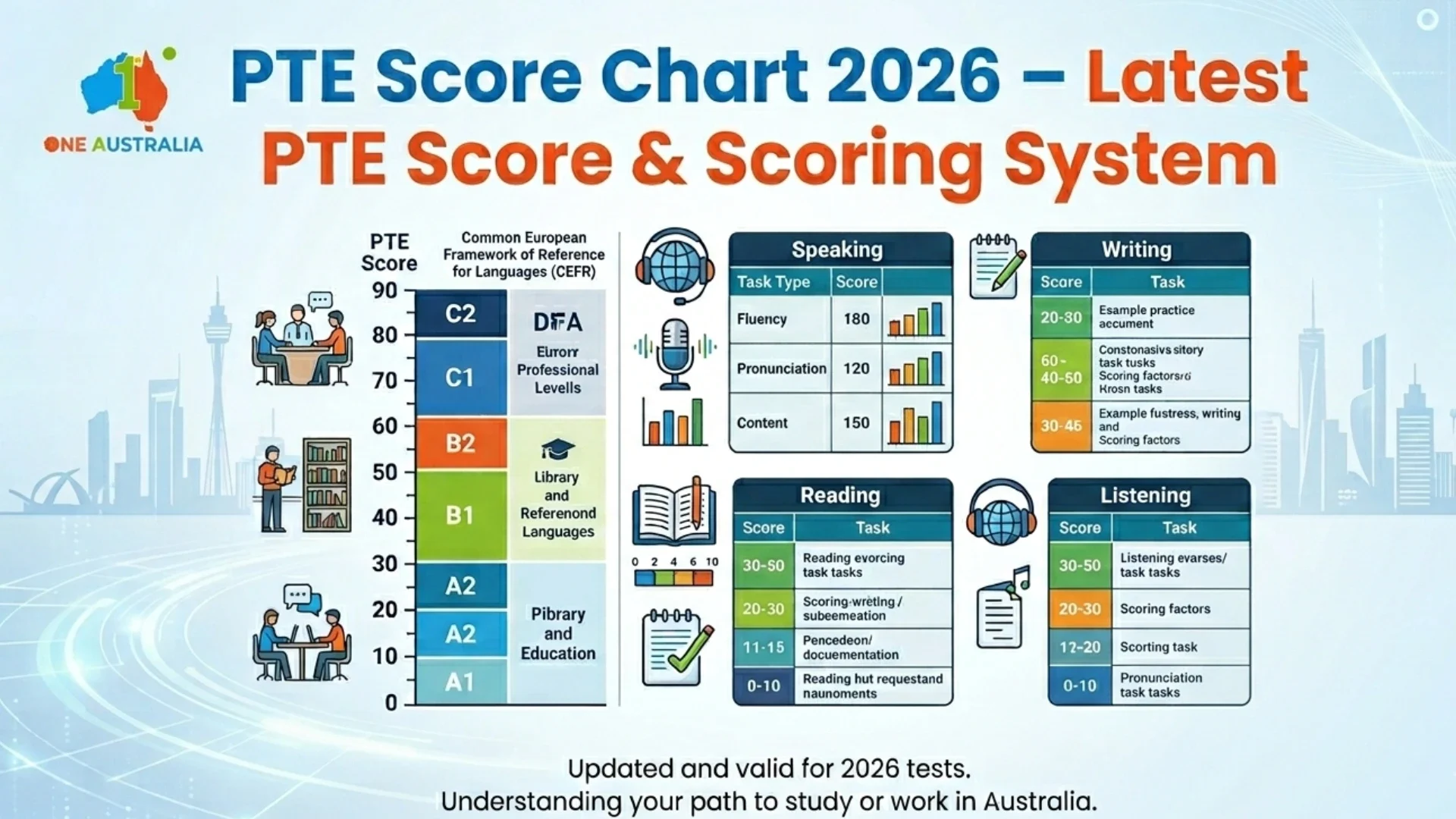
The PTE Academic exam follows a precise scoring system ranging from 10 to 90. Unlike band-based exams, pte scores are calculated using AI scoring and reported as whole numbers. This makes the pte score table easy to interpret and directly comparable with global English standards like CEFR.
Many students search for the latest PTE score chart or pte scoring chart to understand how their results translate into English proficiency levels. Below is a clear pte score table explaining the 10–90 scale along with CEFR mapping.
PTE Score Table (10–90 Scale Explained)
Here is the complete pte score table aligned with CEFR levels:
| PTE Score | English Level (CEFR) | Description |
| 85–90 | C2 Expert | Near native fluent English |
| 76–84 | C1 Advanced | Strong academic English |
| 59–75 | B2 Upper-Intermediate | Able to handle complex texts |
| 43–58 | B1 Intermediate | Solid mid-range skills |
| 30–42 | A2 Basic | Limited communication |
| 10–29 | A1 Beginner | Early language use |
This pte score distribution chart helps students understand where they stand academically and professionally.
For example:
- A score of 65 places you in B2 (Upper-Intermediate).
- A score of 79 places you in C1 (Advanced).
- A score of 88 reflects C2-level proficiency.
The new PTE score chart continues to use this 10–90 global scale, ensuring consistency across all modules Speaking, Writing, Reading, and Listening.
PTE Score in Bands vs CEFR Levels
Although PTE does not officially use bands like IELTS, many students search for pte score in bands. Technically, PTE uses a numerical scale, not band descriptors.
However, to simplify understanding, the table above shows how pte score in bands can be interpreted through CEFR levels.
This is where pte scores explained becomes important:
- IELTS Band 7 roughly aligns with PTE 65–72 (B2–C1 transition).
- IELTS Band 8 roughly aligns with PTE 79–84 (C1 level).
- IELTS Band 9 aligns with PTE 85+ (C2 level).
So while there is no official “band” system in PTE, students often interpret pte scores in grouped ranges for easier comparison.
If you are reviewing the latest pte score chart or pte new score chart, always remember:
- PTE scores are AI-calculated.
- Scores reflect overall communicative ability.
- CEFR mapping helps universities and immigration authorities understand your level clearly
How PTE Score Is Calculated?
PTE scores are calculated using an AI-based automated scoring system that evaluates your performance across Listening, Reading, Speaking, and Writing. The exam uses a 10–90 scale, and your score reflects overall communicative ability rather than just correct answers. Unlike traditional exams, PTE assesses integrated tasks, meaning one response can contribute to multiple skill scores.
Key Points:
- AI Scoring System: Fully automated, data-driven evaluation with no human bias.
- Communicative Skills: Four scores (Listening, Reading, Speaking, Writing) each graded from 10–90.
- Integrated Tasks: Tasks like Repeat Sentence and Write From Dictation affect more than one skill.
- Enabling Skills Impact: Grammar, pronunciation, fluency, vocabulary, and spelling influence final results.
- Overall Score: Not a simple average — it is calculated using weighted performance across all tasks.
Understanding this scoring structure helps you focus on high-impact areas instead of random practice.
PTE Score Distribution Chart (How Scores Are Spread)
Most websites simply publish a pte score table or a static new pte score chart. Very few actually explain how scores are distributed among real test takers.
Understanding the pte score distribution chart helps you set realistic targets, plan preparation strategy, and understand why certain score jumps feel much harder than others.
Let’s break it down properly.
Where Most Candidates Score (50–65 Range)
In a typical pte score distribution chart, the highest concentration of candidates falls between 50 and 65.
This range represents:
- Upper B1 to mid-B2 CEFR level
- Functional academic English
- Basic fluency with noticeable inconsistencies
Why is this the “crowded zone”?
Because most candidates:
- Speak fluently but lack advanced vocabulary
- Make minor grammar errors
- Lose marks in Listening due to fast pace
- Struggle with complex summarization in Writing
This creates a distribution peak around 58–63, forming the top of the bell curve.
Think of this as the “performance comfort zone.”
Breaking out of it requires structured skill refinement not just more practice.
High Score Distribution (79+ Range)
Scores of 79+ fall into the C1–C2 proficiency level and represent the advanced tier.
In most competitive scoring environments:
- 73–78 → Strong performers
- 79+ → Top-tier academic level
- 85+ → Very small percentage
- 90 → Rare and near-native proficiency
On a pte score distribution chart, this area appears as a narrowing tail on the right side of the curve.
Why is this group smaller?
Because scoring above 79 requires:
- Consistent fluency without hesitation
- Advanced collocations and academic vocabular
- High listening retention accuracy
- Strong pronunciation clarity
- Zero weak module
At this level, even minor hesitation or pronunciation inconsistency can prevent the score jump.
What Percentile Ranges Typically Look Like
While exact official percentile breakdowns are not publicly detailed, typical academic test patterns suggest the following clustering:
| PTE Score Range | Performance Tier | Estimated Relative Standing |
| 50–58 | Average cluster | Central majority |
| 59–65 | Above average | Strong migration range |
| 66–72 | Competitive academic | Upper-middle group |
| 73–79 | High performers | Top 15–20% range |
| 80+ | Elite academic | Top 10% or better |
On a visual pte score distribution chart, this would resemble a classic bell curve:
- Highest peak around 55–63
- Gradual decline from 65–75
- Sharp tapering beyond 80
This pattern explains why moving from 58 to 65 feels achievable but moving from 65 to 79 feels dramatically harder.
PTE Score Chart Each Module
Understanding the pte score chart each module is essential if you want to move beyond average performance. While many students focus only on overall results, the real improvement strategy starts with analyzing how pte scores are calculated in each skill.
The official pte scoring chart evaluates Listening, Reading, Speaking, and Writing separately and then combines them into your overall score (10–90 scale).
Below is a clear breakdown of the pte score chart each module, so you can identify which skill is limiting your final result.
Listening Score Chart
The Listening section measures your ability to understand spoken English in academic contexts.
Skills Evaluated:
- Summarize Spoken Text
- Multiple Choice
- Fill in the Blanks
- Highlight Incorrect Words
- Write from Dictation
Listening Score Impact:
- Strong weighting from Write from Dictation
- Spelling accuracy significantly affects scores
- Integrated listening-writing tasks boost overall marks
| Listening Score Range | Performance Level |
| 79+ | Advanced comprehension with near-perfect accuracy |
| 65–78 | Strong academic listening ability |
| 50–64 | Functional understanding with minor gaps |
| Below 50 | Difficulty handling complex audio |
Listening is often the deciding factor in reaching 79+ because it heavily influences integrated scoring.
Reading Score Chart
The Reading module evaluates comprehension, vocabulary control, and logical understanding of academic texts.
Skills Evaluated:
- Reading & Writing Fill in the Blanks
- Multiple Choice (Single & Multiple)
- Re-order Paragraphs
Scoring Characteristics:
- Vocabulary depth matters significantly
- Grammar accuracy impacts fill-in-the-blanks
- Logical sequencing affects paragraph tasks
| Reading Score Range | Performance Level |
| 79+ | Advanced academic reading |
| 65–78 | Strong comprehension skills |
| 50–64 | Moderate understanding |
| Below 50 | Limited text processing ability |
In the pte score chart each module, Reading often reflects vocabulary strength and grammar precision.
Speaking Score Chart
Speaking is one of the most influential modules in the pte scoring chart because it affects both Speaking and overall Communicative Skills.
Skills Evaluated:
- Read Aloud
- Repeat Sentence
- Describe Image
- Re-tell Lecture
- Answer Short Question
Key Scoring Factors:
- Oral Fluency
- Pronunciation
- Content accuracy
| Speaking Score Range | Performance Level |
| 79+ | Natural fluency, clear pronunciation |
| 65–78 | Good fluency with minor hesitation |
| 50–64 | Understandable but inconsistent |
| Below 50 | Noticeable fluency/pronunciation issues |
Most candidates stuck at 65 struggle to eliminate hesitation patterns. Speaking refinement is critical for crossing 79.
Writing Score Chart
Writing assesses structured communication and grammar accuracy.
Skills Evaluated:
- Summarize Written Text
- Essay Writin
Scoring Focus:
- Grammar range and accuracy
- Vocabulary sophistication
- Coherence and logical structure
| Writing Score Range | Performance Level |
| 79+ | Strong academic argumentation |
| 65–78 | Clear structured writing |
| 50–64 | Basic idea development |
| Below 50 | Grammar and structure weaknesses |
In many cases, Writing becomes the hidden barrier in achieving balanced pte scores across all modules.
Why Module-Level Analysis Matters
The pte score chart each module reveals an important truth:
Your overall score can never exceed your weakest skill by a large margin.
For example:
- Listening 82
- Reading 79
- Speaking 66
- Writing 75
Overall score will likely remain restricted around the mid-70s because Speaking limits the final outcome.
This is why analyzing the pte score chart each module gives you a ranking advantage both in exam strategy and SEO visibility.
Many competitors publish only an overall score table. A detailed module breakdown can rank independently for module-specific search queries and attract highly targeted traffic.
How the New PTE Score Chart Is Calculated
The new pte score chart is powered by advanced AI scoring technology designed to evaluate real communicative ability rather than subjective examiner judgment. Unlike traditional band-based exams, the pte scoring chart uses a fully automated algorithm that calculates performance across both individual and integrated tasks.
This means your pte scores are not based on a human examiner’s opinion they are generated through data-driven assessment models trained on thousands of real test responses.
1. AI-Based Scoring Technology
The new pte score chart relies on artificial intelligence to assess:
- Oral fluency
- Pronunciation
- Grammar accuracy
- Vocabulary range
- Spelling
- Content relevance
For Speaking and Writing, the system analyzes:
- Speech patterns
- Pause frequency
- Intonation consistency
- Sentence complexity
Because scoring is automated:
- Results are consistent
- Bias is minimized
- Re-scoring outcomes are rare
This is a major difference compared to traditional band systems.
2. Integrated Task Scoring
One unique feature of the pte scoring chart is integrated scoring.
Many tasks contribute to multiple skill scores at the same time.
For example:
- Repeat Sentence affects both Speaking and Listening
- Reading & Writing Fill in the Blanks affects Reading and Writing
- Write from Dictation impacts Listening and Writing
So the new pte score chart does not evaluate skills in isolation. It measures how effectively you process and respond to language across skills.
This is why improving one task can boost multiple sections in your final pte scores.
3. Skill Scores + Overall Score Calculation
The system generates:
- Listening (10–90)
- Reading (10–90)
- Speaking (10–90)
- Writing (10–90)
These are then combined algorithmically to produce your Overall Score (10–90).
Important:
Your overall score is not a simple average.
It reflects weighted performance across all communicative skills.
That’s why:
- A weak Speaking score can restrict your total score
- Strong integrated task performance can accelerate improvement
4. Why the New PTE Score Chart Is More Precise
Compared to band systems:
- It measures granular performance differences (e.g., 67 vs 69)
- It avoids broad band grouping
- It allows universities and immigration bodies to interpret ability more precisely
How the Three Layers Work Together
You can think of the report like this:
Enabling Skills → Affect Communicative Skills → Determine Overall PTE Score
Example analysis:
If:
- Overall Score = 72
- Speaking = 68
- Pronunciation = Low
Your improvement focus should be pronunciation drills and fluency control not just more practice tests.
Without analyzing enabling skills, many students repeat the same mistakes and remain stuck in the 65–70 range.
How to Read Your Official PTE Scores Report Strategically
Follow this 4-step method:
Step 1: Check your overall PTE score
Step 2: Identify the lowest communicative skill
Step 3: Match it with related enabling skills
Step 4: Target the root weakness directly
This transforms your preparation from random practice into performance engineering.
Why This Section Matters for High Scores 79+ Target
To move from 65 to 79+, you must:
- Eliminate enabling skill weaknesses
- Balance all communicative scores
- Avoid having one module 8–10 points lower than others
The official PTE scores report is not just a result sheet it is a precision diagnostic tool.
Candidates who understand this structure improve faster, attempt fewer retakes, and cross competitive score thresholds more efficiently.
PTE Score Chart Comparison: IELTS, TOEFL & CLB
Many students preparing for study or migration want to understand how the pte score chart compares with other major English exams. Since PTE uses a 10–90 scale instead of bands, candidates often search for pte score in bands, “PTE score equivalent,” or pte scores comparison with IELTS, TOEFL, and CLB levels.
Below is a simplified and widely accepted comparison table to help you interpret score equivalency clearly.
PTE Score Chart Comparison Table
| PTE Score | IELTS Band | TOEFL iBT | CLB Level (Canada) | Proficiency Level |
| 85–90 | 9.0 | 115–120 | CLB 10 | Expert |
| 79–84 | 8.0–8.5 | 110–114 | CLB 9–10 | Advanced |
| 65–78 | 7.0–7.5 | 94–109 | CLB 8–9 | Upper-Intermediate to Advanced |
| 59–64 | 6.5 | 79–93 | CLB 7 | Upper-Intermediate |
| 50–58 | 6.0 | 60–78 | CLB 6–7 | Intermediate |
| 42–49 | 5.5 | 46–59 | CLB 5–6 | Lower-Intermediate |
| 30–41 | 4.5–5.0 | 32–45 | CLB 4–5 | Basic |
This pte scores comparison helps universities, immigration departments, and employers interpret your English proficiency accurately.
PTE Score Equivalent for Migration CLB Focus
For Canadian immigration, CLB (Canadian Language Benchmark) mapping is critical.
For example:
- PTE 65+ → Typically aligns with CLB 8–9
- PTE 79+ → CLB 9–10 (strong PR advantage)
Understanding your PTE score equivalent in CLB terms can directly impact CRS points calculation.
PTE vs TOEFL Comparison
Unlike IELTS bands (0–9), TOEFL uses a 0–120 scale.
Comparison highlights:
- PTE 79+ ≈ TOEFL 110+
- PTE 65 ≈ TOEFL 94–100
- PTE 50 ≈ TOEFL 60–78
The pte scores comparison shows that PTE’s 10–90 granular scale provides more precise differentiation between candidates compared to broader band systems.
What Is a Good PTE Score?
A good PTE score depends entirely on your goal whether you are applying for university admission, a student visa, or skilled migration. There is no single “perfect” number. Instead, the required PTE score varies based on institution, country, and visa category.
In general:
A good PTE score depends on your goal. Most universities require 58–65 PTE scores, while migration categories may require 65–79+.
Understanding this difference is crucial before setting your target.
PTE Scores for University Admission
Universities set minimum English proficiency requirements based on course level.
Undergraduate Programs
• Approx 51–60+ PTE score
This range is commonly accepted for:
- Diploma programs
- Foundation courses
- Bachelor’s degrees
Some competitive universities may require 58+ overall with no communicative skill below 50–55.
Postgraduate Programs
• Approx 57–67+ PTE score
Master’s and advanced academic programs typically require:
- Higher academic writing ability
- Strong listening comprehension
- Balanced communicative skills
More competitive institutions may require 65+ overall with minimum sub-score conditions.
So, for university admission, a good PTE score usually starts at 58 and becomes competitive at 65+.
PTE Scores for Visa Requirements
Visa English requirements often differ from academic entry standards.
Student Visa
• Around 58+ PTE score
Many countries require proof of English for student visa approval.
In most cases, 58+ meets minimum threshold requirements.
However:
- Some programs may require higher scores
- Individual course conditions may apply
Skilled Migration / High Education Categories
• Around 65–79+ PTE score
For migration pathways, pte scores for PR become more competitive.
Typical ranges:
- 65+ → Competent / Proficient English category
- 79+ → Superior English category (higher migration points)
Higher English scores can:
- Increase migration ranking points
- Improve PR eligibility
- Strengthen skilled occupation applications
So, What Is Considered a Good PTE Score?
Here’s a simplified benchmark:
| Goal | Good PTE Score Range |
| Diploma / UG Admission | 51–60+ |
| Postgraduate Admission | 57–67+ |
| Student Visa | 58+ |
| Skilled Migration | 65–79+ |
Remember:
The required PTE score always depends on:
- Country regulations
- Visa stream
- Course competitiveness
- Institutional policy
Key Takeaway
A good PTE score is not universal it is goal-driven.
- If your target is university admission → Aim for 58–65.
- If your goal is skilled migration or PR → Aim for 65–79+.
Before preparing, always confirm the exact required PTE score for your chosen university or migration category.
How to Improve Your PTE Scores Based on the Score Chart
Understanding the score chart is not enough you must use it strategically. Whether you’re aiming for university admission or higher pte scores for PR, improvement starts with analyzing your current position and closing the right performance gap.
Here are expert-backed interpretation tips based on the PTE score chart structure:
1. Identify Your Score Zone
First, locate where you fall:
- 50–58 range → Foundation improvement needed
- 59–65 range → Refinement and consistency stage
- 66–75 range → Advanced polishing required
- 79+ target → Precision-level mastery
Each zone requires a different preparation strategy.
2. Analyze Communicative Score Imbalance
If one module is 8–10 points lower than others, that module is restricting your overall result.
Example:
- Listening: 80
- Reading: 76
- Writing: 74
- Speaking: 66
Your Speaking score is limiting your total band potential. Improving your weakest skill has the highest impact on final score growth.
3. Use Enabling Skills as Diagnostic Clues
Low Pronunciation → Work on clarity and stress patterns
Low Oral Fluency → Reduce hesitation and fillers
Low Grammar → Practice sentence correction and complex structures
Low Spelling → Improve Write From Dictation accuracy
Instead of repeating full mock tests, fix the micro-weakness shown in your score report.
4. Break the 65–79 Barrier Strategically
The jump from 65 to 79 is not about doing more practice it’s about increasing:
- Vocabulary sophistication
- Sentence complexity
- Listening retention
- Fluency rhythm consistency
Advanced score improvement requires controlled performance, not just familiarity with question types.
5. Focus on High-Weight Tasks
Some tasks influence multiple skills:
- Repeat Sentence
- Reading & Writing Fill in the Blanks
- Write From Dictation
Improving these tasks can boost more than one communicative score at the same time.
Expert Tip
Don’t prepare for a number.
Prepare for the performance level required by that number.
For example:
- 58 requires functional clarity
- 65 requires consistent accuracy
- 79 requires advanced academic fluency
Understanding the score chart this way transforms preparation into performance engineering.
FAQ
What is the latest PTE score chart?
The latest PTE score chart follows a 10–90 scale aligned with CEFR levels (A1 to C2). It reflects AI-based scoring across Listening, Reading, Speaking, and Writing modules. The scoring scale remains consistent, though task updates may occur periodically.
How does the new PTE score chart work?
The new PTE score chart works through AI-based evaluation. It measures communicative skills and integrated tasks, then calculates individual module scores (10–90) and an overall score based on weighted performance.
What is PTE score in bands?
PTE does not officially use bands like IELTS. However, many students refer to “PTE score in bands” to compare ranges. For example, PTE 65 is roughly equivalent to IELTS 7.0, and PTE 79 aligns with IELTS 8.0.
What is the difference between PTE score table and scoring chart?
A PTE score table shows numerical ranges and their proficiency levels (e.g., 65 = B2/C1 level).
A PTE scoring chart explains how scores are calculated, distributed, and interpreted across skills
Is the PTE score chart accepted for Australia PR and student visas?
Yes, the PTE score chart is officially accepted for Australian student visas and PR applications. The Department of Home Affairs recognizes PTE Academic scores for migration and visa purposes.